
# Onboarding a Single Member to the Members Register
Step 1: Navigate to the New Member Registration Form
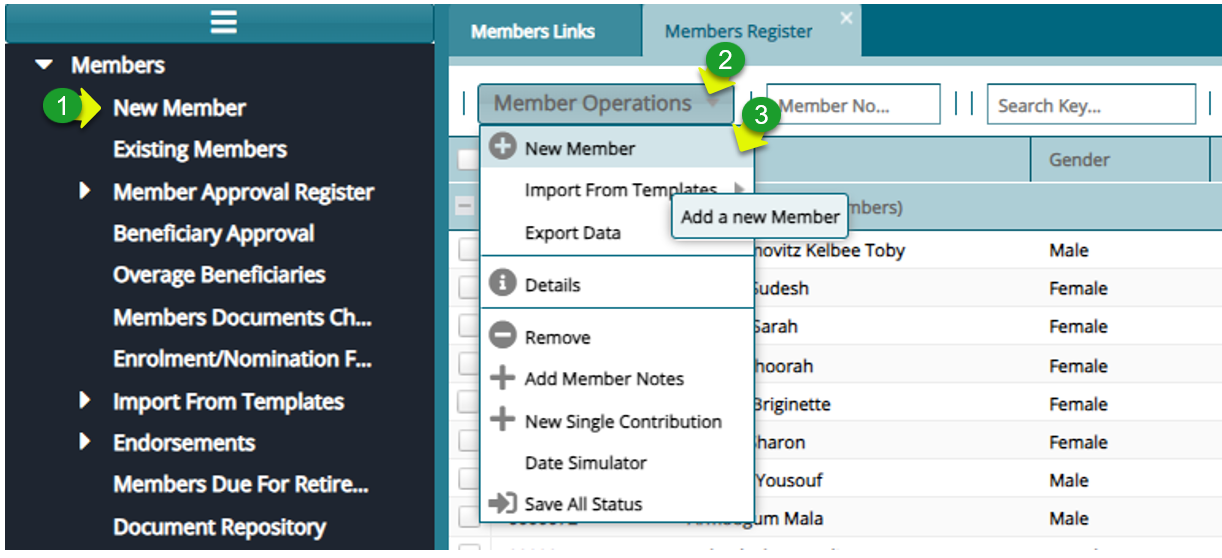
Actions
Click the "New Member" menu item on the left side pane
Click on the "Members Operations" drop-down
Click on the "New Member" to open a membership form
Step 2: Fill in the Details to Register a New Member:
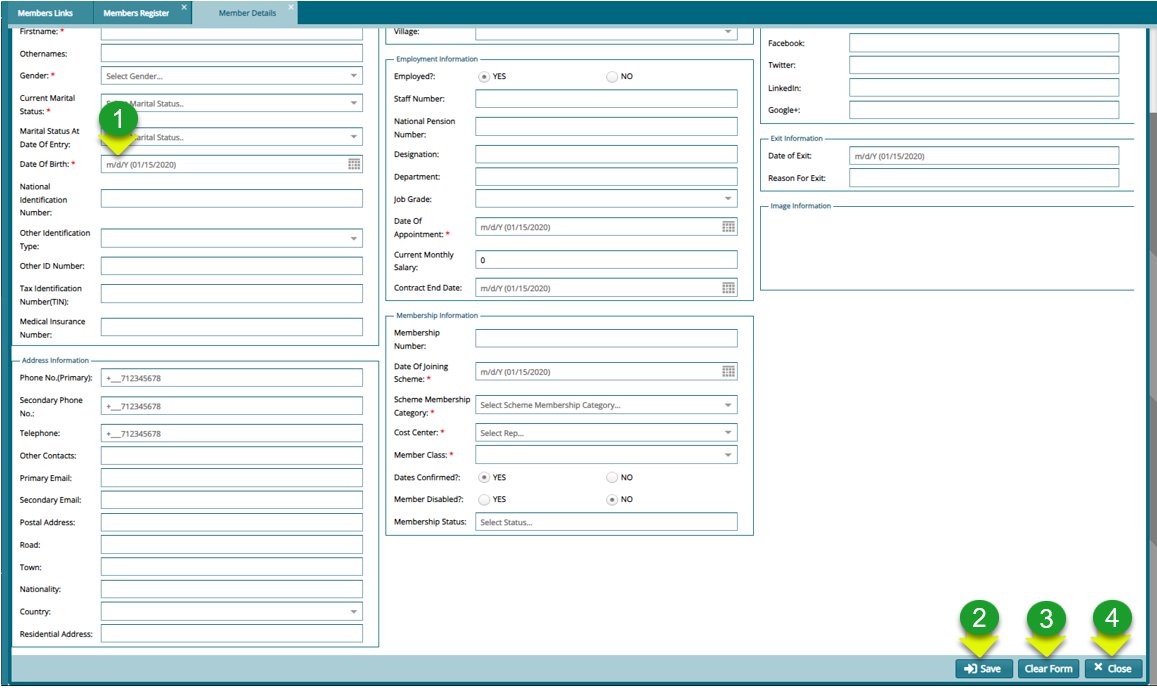
Actions
Click on the "Mandatory fields" to key in details
Click on the "Save" button to register the new member
Click on the "Clear" button to start filling the form a fresh
Click on the "Close" button to exit the form
Step 3: Navigate to the Members Approval Register:
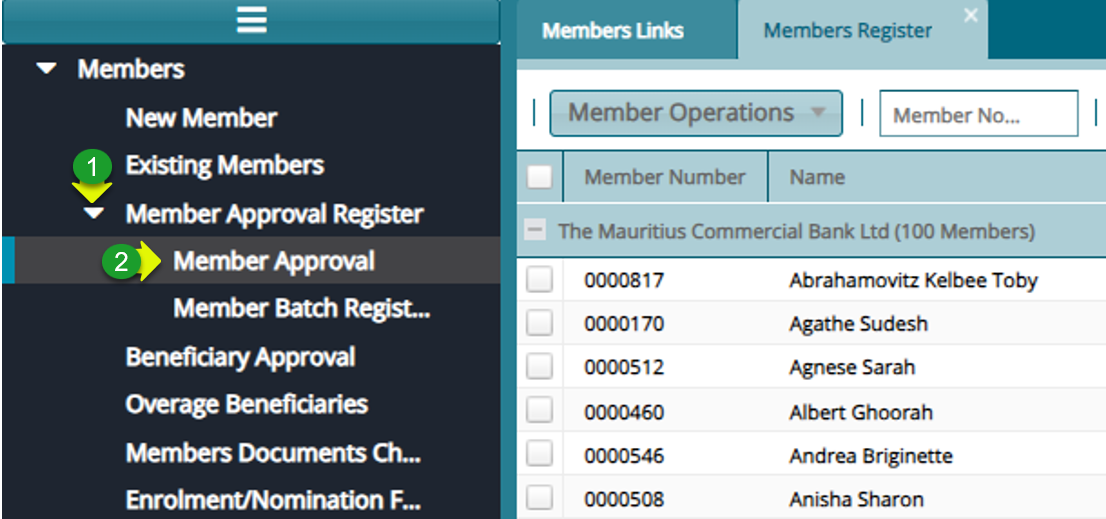
Actions
Click on the "Member Approval Register" drop-down menu
Click on the "Member Approval" menu item to open the approval window
Step 4: Approval the New Membership:

Actions
Click to select a member from the list
Click on the "Authorization" drop-down menu to Certify, Authorize and Approve the member