# Processing Death in Retirement
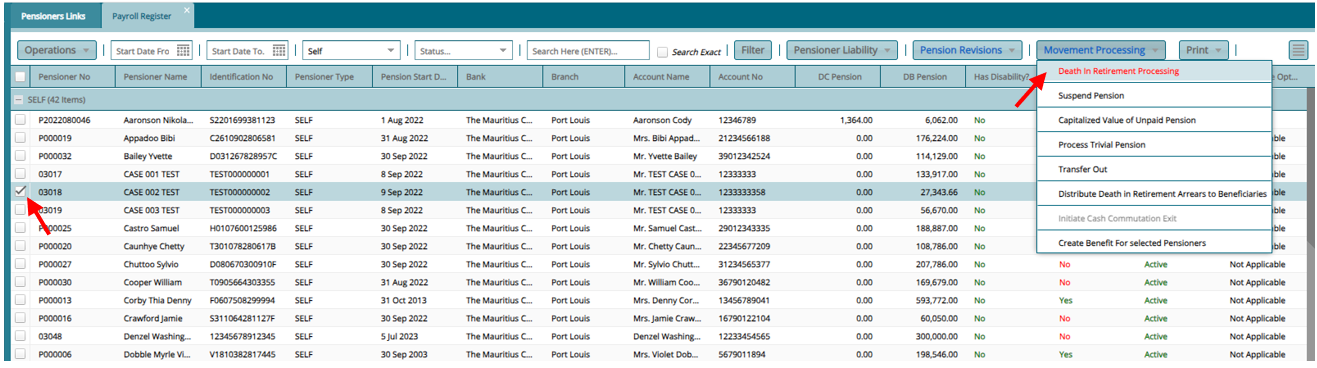
- From the payroll Register, select pensioner to process, click on "Movement Processing" then on "Death in Retirement Processing"
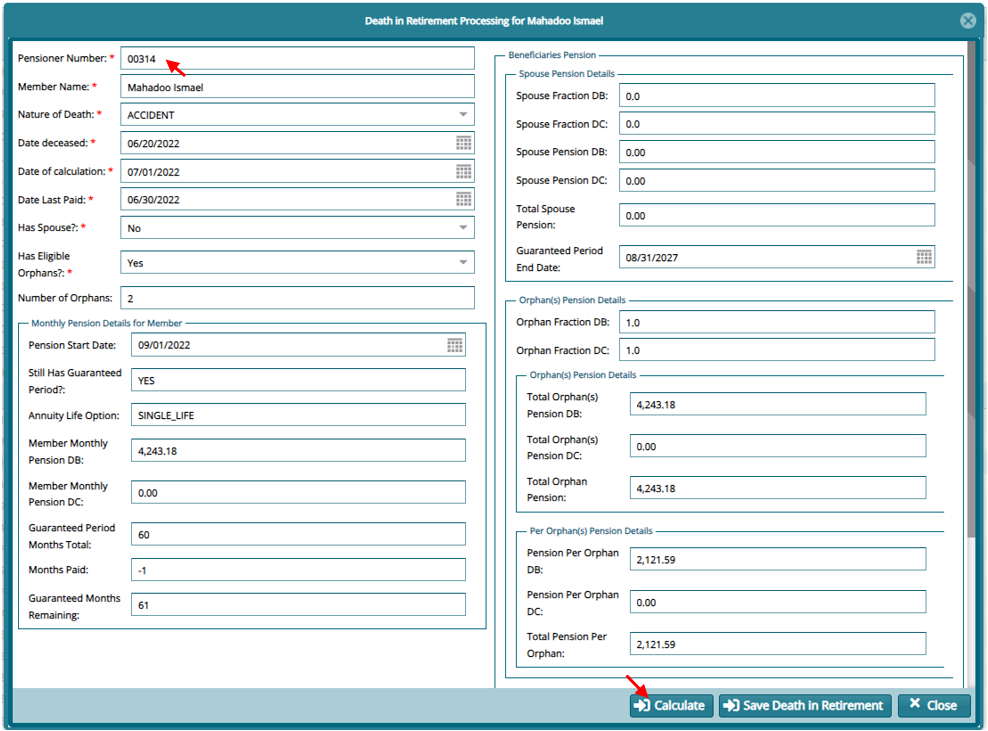
- On the next window fill in the first section and then click on "Calculate"
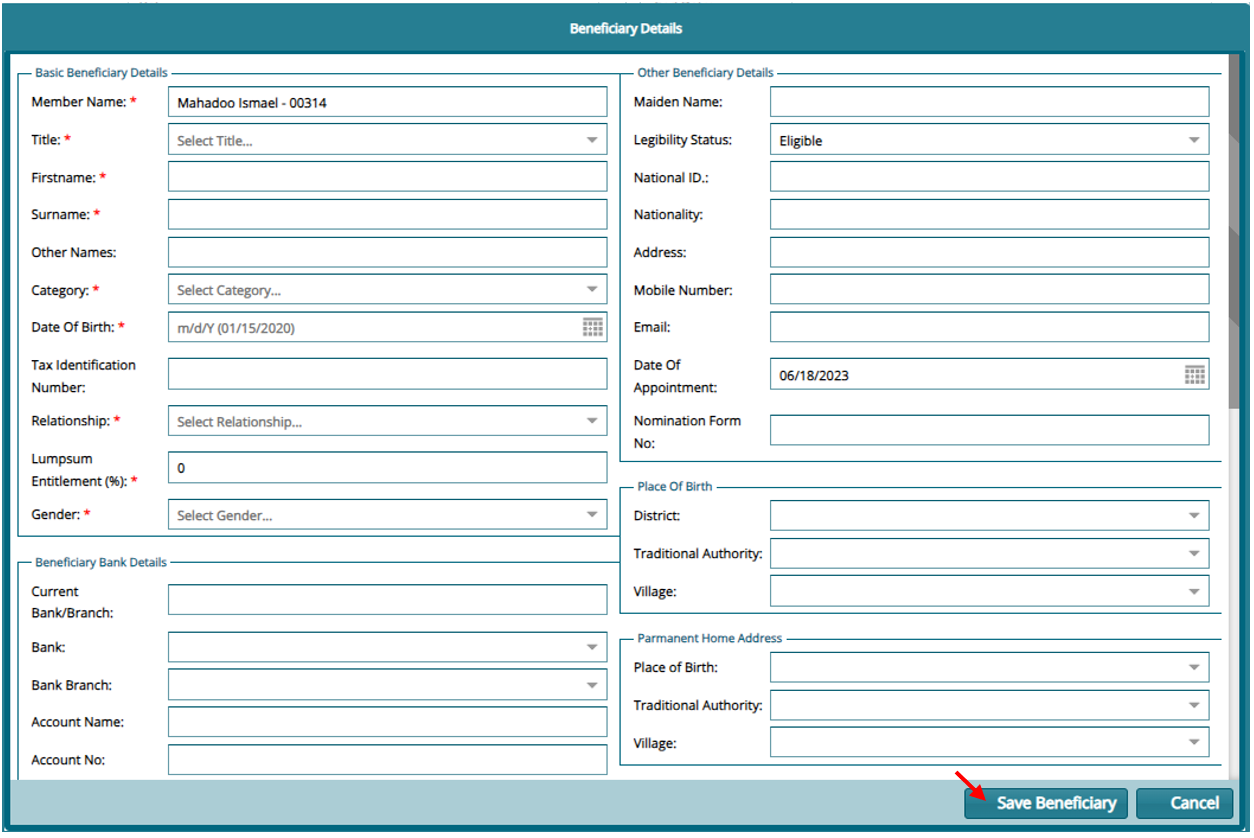
If there are beneficiaries to be added scroll down and click on "New beneficiary" and re-calculate
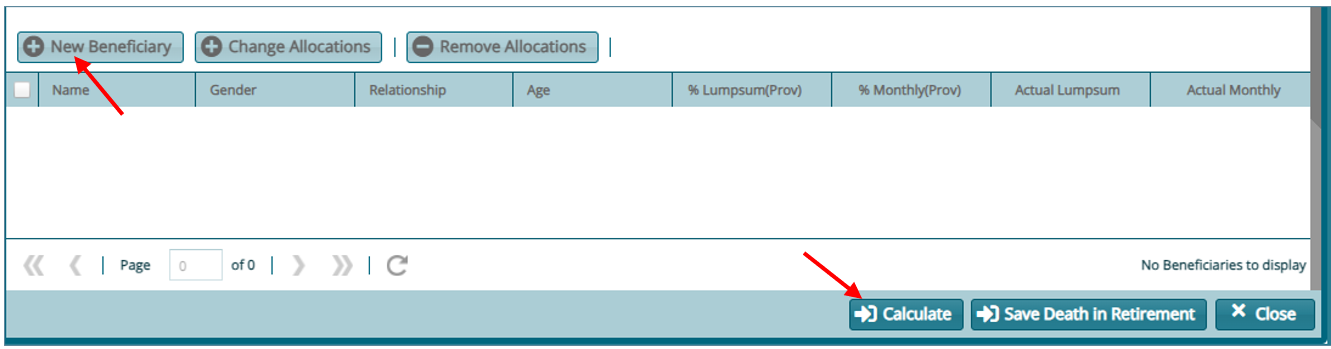
If all information for the beneficiaries is added click on "Save Death in Retirement"
The added Beneficiaries will sit on the Pensioner Approval register. Approve them and the process will be complete.