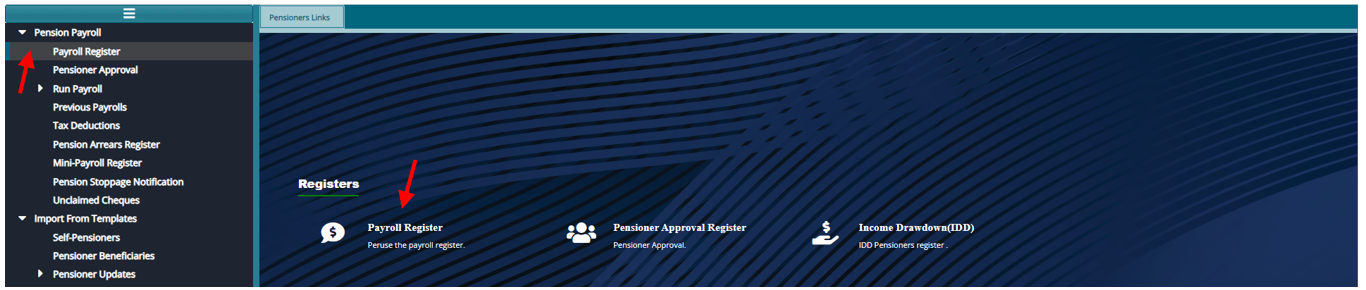
# Pensioners Register
From the Landing Menu, click on "Pensioner Register"
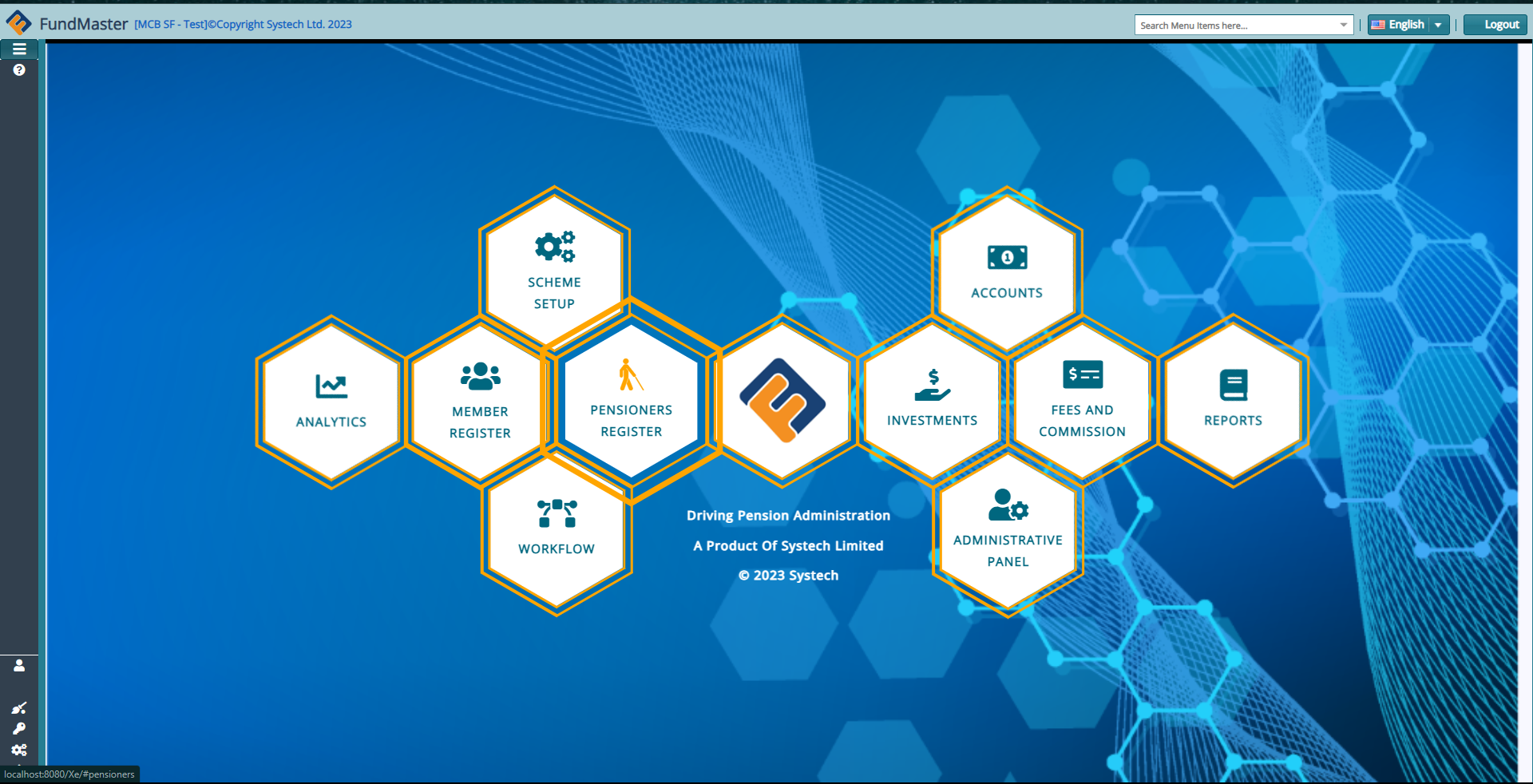
# Adding New Pensioners**
To import new Pensioners.
Prepare the templates as provided: Self pensioners template or the beneficiary pensioners template (orphan & widow-widower)
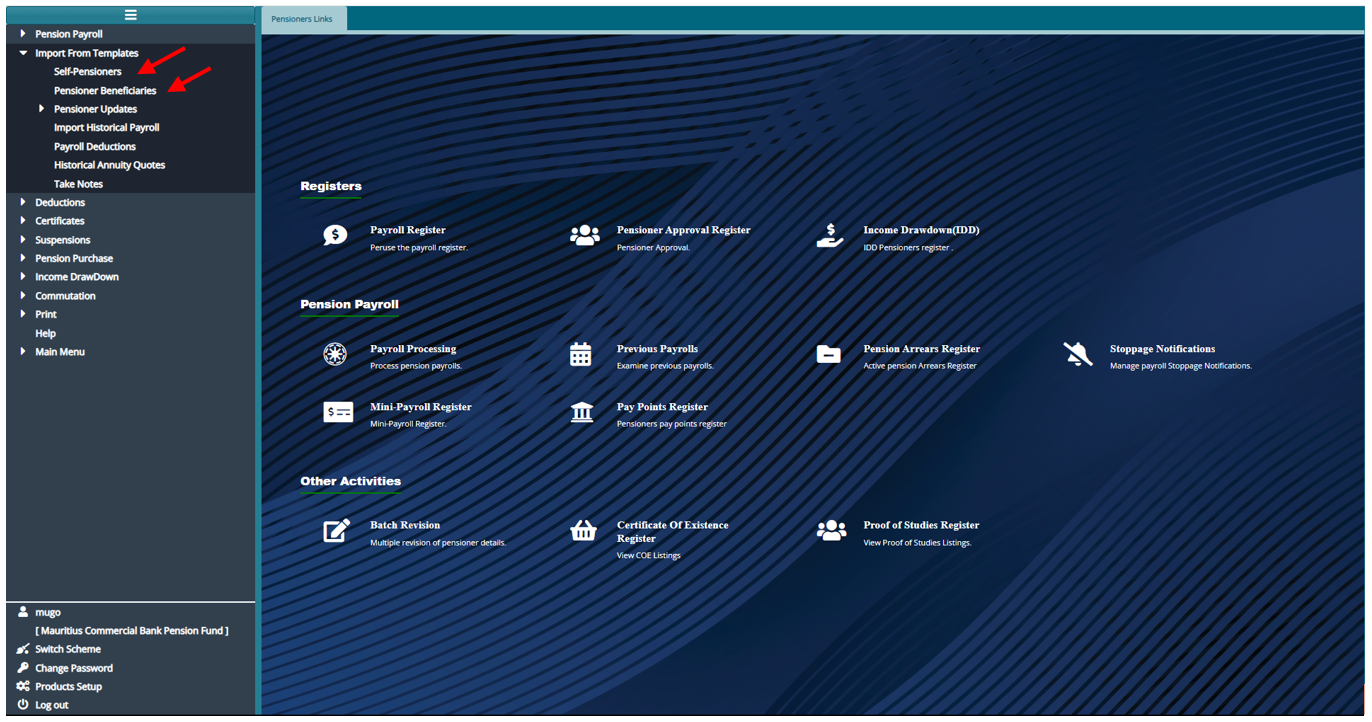
From the Pensioners Register
Click the menu item links listed on the left side pane.
Then click on "Import from Templates"
For importing self-pensioners click on "Self-Pensioners"
For importing beneficiary pensioners click on "Pensioner Beneficiaries"
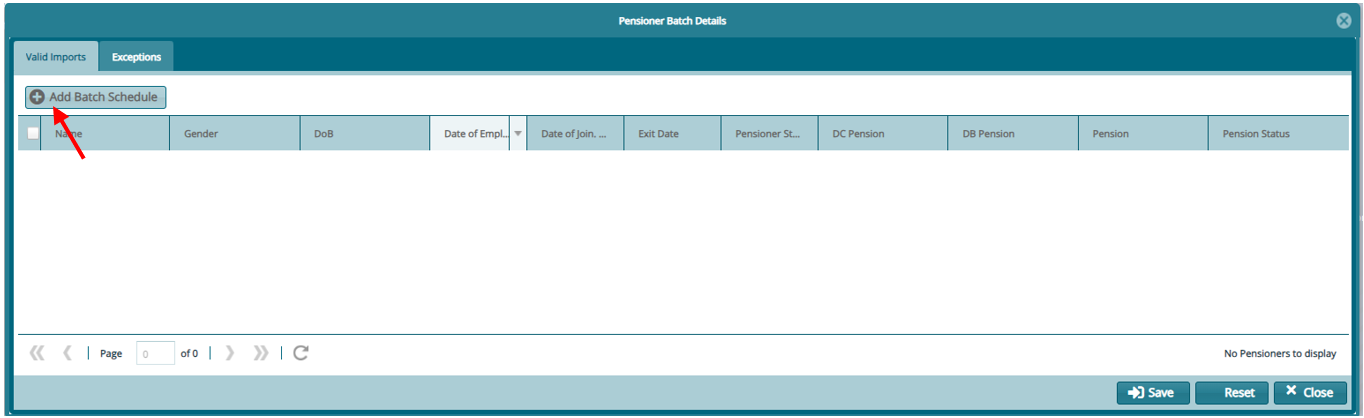
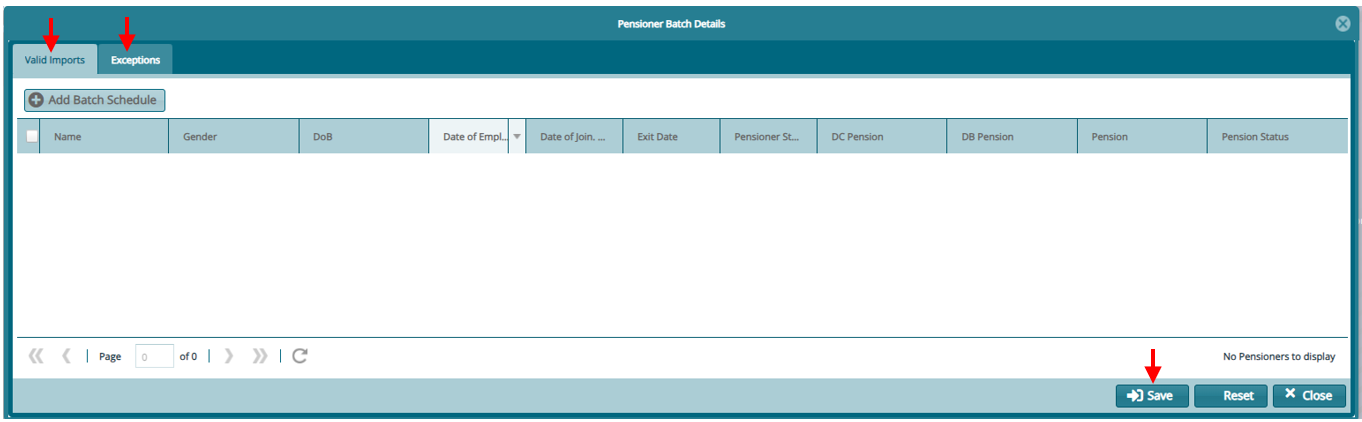
- From the window that opens. Click on "Add Batch Schedule"
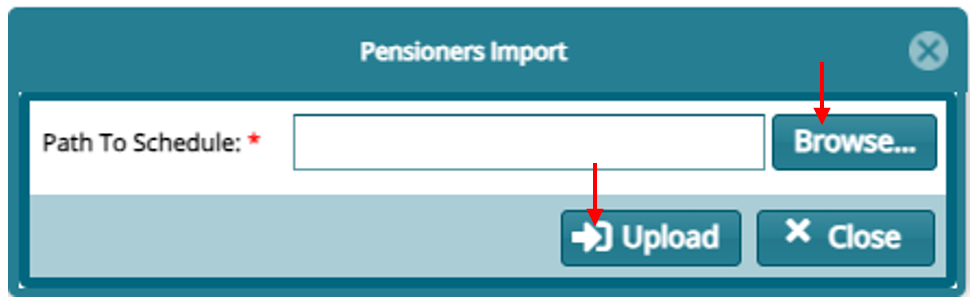
- On the window that opens, click on "Browse.." to find your template then "Upload"
- Confirm on the "Valid Imports" and incase of any "Exceptions" correct the template and repeat the process and click on save if all is confirmed.
The imported pensioners now sit on the "Pensioner Approval"
Select the pensioners to approve from the register then click on "Approve Selected"

When approved the pensioners will sit on the "Payroll Register"